





Category: Education

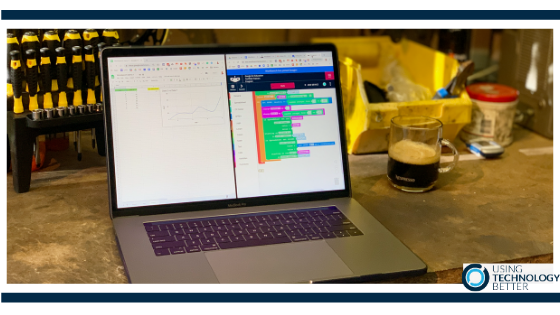
Workbench and Google Sheets part 1

As a teacher, I am always looking for ways to integrate digital tools, especially in the STEAM space, so that meaningful learning experiences can take place. Ultimately, I want to be able to combine a variety of applications and devices together and develop some coding to gather data and control external devices. Workbench provides the backbone to be able to do that.


How to get started with unplugged activities in your classroom

If you were asked, ““If a visitor to your school was to walk into a typical room, what might they see students doing with technology?” what might your answer be? Using unplugged activities can help develop computational thinking in your students, allowing that use of technology to maybe look a little different. This blog will give some ideas of ways to integrate these activities into your classroom.

Technology, sustainability and saying goodbye to some old friends.

If you were to create a pile of all the LPs, cassettes and CDs you ever owned how big would it be? Where are they all now? Did you throw them out? Recycle them?
Technology has both positive and negative consequences – the impact of some technological change on the environment has been massive. Exploring technology, sustainability and the environment should be part of all curriculums.

Getting started with computational thinking

Ask many teachers what computational thinking is and they’ll look at you with a blank face. I used to feel like that! But actually, it’s not that complicated at all. This blog will unpack what it is and give you some simple ideas on how to get started with unpacking what it could look like in your classroom.

How to do an Inbox spring clean in Outlook for Windows

Spring has sprung here in the Southern Hemisphere, so it is a perfect time to do an Inbox Spring clean! Imagine what it would be like to open your Outlook mail and see all your mail with minimal scrolling…that’s what an Inbox spring clean can help you do.

How to Spring Clean Your Inbox in Gmail

Spring has sprung here in the Southern Hemisphere, so it is a perfect time to do an Inbox Spring clean! Imagine what it would be like to open your Gmail Inbox and have only one page (or less) of emails sitting there…that’s what an Inbox spring clean can help you do.

How to get started with Bitmojis in your classroom

Bitmojis – personalised digital avatars – are hugely popular on social media sites and are accessible through many different apps. This blog post will explain how to get started with them and how to use them in your classroom

Three useful chrome extensions for students

There are so many extensions available these days that it’s very easy to find yourself getting carried away with installing way too many of them. It’s an important skill to be able to filter these effectively. Ask yourself what exactly do you need an extension to do and why do you need to install it? This blog post will focus on three chrome extensions that are helpful for students to use.

Five tips for searching effectively in Google Drive

Although Google Drive has a very powerful search feature, my training sessions always have participants who are having difficulty finding files in Google Drive. This is usually because they are just typing a keyword in the search box and hoping for the best! In this blog post, I’ll share my top five tips for searching effectively in Google Drive.

How to Manage Meeting Minutes with Microsoft Outlook & OneNote

Microsoft OneNote is an excellent tool for collaborating on and collating meeting minutes. However, when you utilise the connection between OneNote and Microsoft Outlook email and calendar, it becomes even more powerful! In this blog post, I’ll show you how the two tools work together to make taking and sharing meeting minutes quicker and easier.

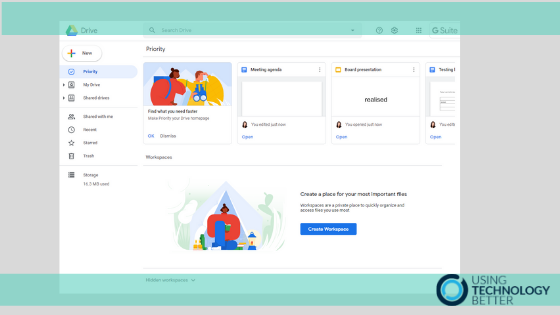
Organise your files with the Google Drive Priority page

When I ask people what their biggest frustration with Google Drive is, the overwhelming response is always ‘keeping it organised!’. That’s why I am so excited about Google Drive’s Priority page. In this blog post, I’ll explain what it does, how it can keep you focused and efficient and how you can use Workspaces to organise the files you use the most.