






Category: Education

Two ways to insert videos in the new Google Sites

Google Sites is a great platform for sharing rich content in both education and corporate environments. In this blog post, I’ll show you how to insert videos from YouTube and Google Drive into the new Google Sites.
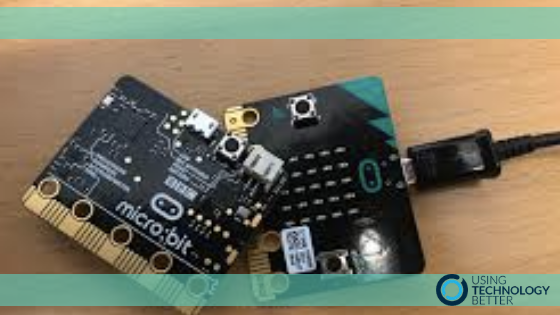

How To Integrate the Micro:bit In Classroom Activities

How do we use STEAM tools and ideas in our everyday classroom programmes without it being just one more thing we have to include in an already incredibly busy environment? The micro:bit offers an excellent entry point. With some subtle adjustments we can begin to incorporate coding into what we are already doing.

How To Get Onboard with the New Digital Technology Curriculum

The New Zealand Digital Technologies Curriculum is now in its draft from and teachers all around NZ have begun to implement it in their classrooms. But are you one of the many teachers who are sitting there thinking about where on earth to begin with it, and how will you possibly be able to fit one more thing into your already frantic class timetable?

Why Doing One Thing is a Good Thing

What is potentially the most common phrase ever spoken by teachers?
“I’m just so busy! There’s never enough time.”
And they would be right. It can be a frantic job. That’s why doing just one thing might be just what is needed. Read on to see what I mean.

How to give feedback super easily in Google Classroom

Giving feedback to students can often be a timely exercise – well, no more! The newly updated Google Classroom has just solved that for you with a grading system that makes it super quick for you to insert comments and provide meaningful feedback. Read on to find out how to use it.

5 ways to resize the Gmail compose box

Some people find the Gmail compose box a little bit small and cramped. That’s why the five resize tricks I am about to share with you are so popular whenever I show them in our Gmail workshops. They’re guaranteed to get a shout of excitement from at least a couple of people in the room!

5 Great Chrome Extensions for Teachers

FREE STUFF! Free stuff that’s useful! Even better! Google Chrome Extensions are tools that you can add to your toolbar. There are thousands out there, but this blog post will tell you about five that I found extremely useful in my classroom practice. If you haven’t been using extensions yet, this is a great place to start.

Immersive reader and accessibility tool

There are some great functions native in Microsoft O365 that assist people to access technology making learning easier. Not only can handwriting be converted to text and read to you in OneNote, but the Immersive reader can assist access to the information on your screen. Additionally, the accessibility tool informs you if what you have written is easily accessible to others.

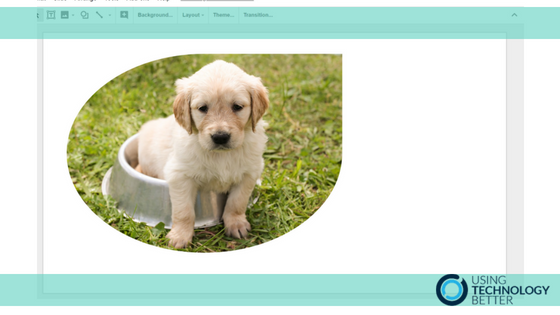
How to Edit Images Inside Google Docs & Slides

Image editing is one of things that can seem a little daunting. However, Google Docs and Google Slides both include some basic image editing tools that are very easy for anyone to use! In this blog post, we’ll show you how to use each of the tools available to put your own flair on images.

Scratch 3.0 – What’s new?

Scratch 3.0 is available to try in beta version and it has some awesome new features. I’ll show you a couple of them in this video. If you’ve never used Scratch before or are an old pro you’ll be delighted by how much computational thinking can be developed in this user friendly system to design games, animations and stories.

Make a Gmail contact group incredibly quickly

Creating email groups is an incredibly quick way to be able to send an email to a number of people at the same time without having to type in each email individually. Did you know that in Gmail you can do it from right within the compose box?

Share to Classroom – Power up your use of Google Classroom

If you are using Google classroom you’ll love the ‘Share to Classroom’ Chrome extension by Google. Teachers love Google Classroom! Many are only just discovering the ‘Share to Classroom’ extension which allows you to ‘Push’ sites to students and create announcements, assignments and questions quickly and easily. Check out this blog post to see how!